One page, one promise
Every ad sells a different angle: sleep, gifting, travel. Most stores send all of them to the same headline. Vorstack matches the headline to the ad.
Shopify theme · early access
Vorstack is a Shopify theme for stores with one to four products. You get a complete sales funnel, four niche starters, a cart that raises order value, and a page that changes its headline to match the ad that sent the visitor. No apps, no jQuery.
One email when the theme is ready. No spam, one click to leave.
The problem
Every ad sells a different angle: sleep, gifting, travel. Most stores send all of them to the same headline. Vorstack matches the headline to the ad.
Quantity tiers, an order bump, an upsell after add-to-cart and a free-gift bar are usually bolted on with apps. Here they are part of the theme.
Every section was designed at 375px first. A sticky buy bar follows the shopper and gets out of the way when the offer is on screen.
Demo store 1
ALTO is a made-up cold-brew focus coffee we built to show every part of Vorstack working together. These are screenshots of the real theme in a real Shopify store, with real products, discounts, a subscription plan and a working cart.
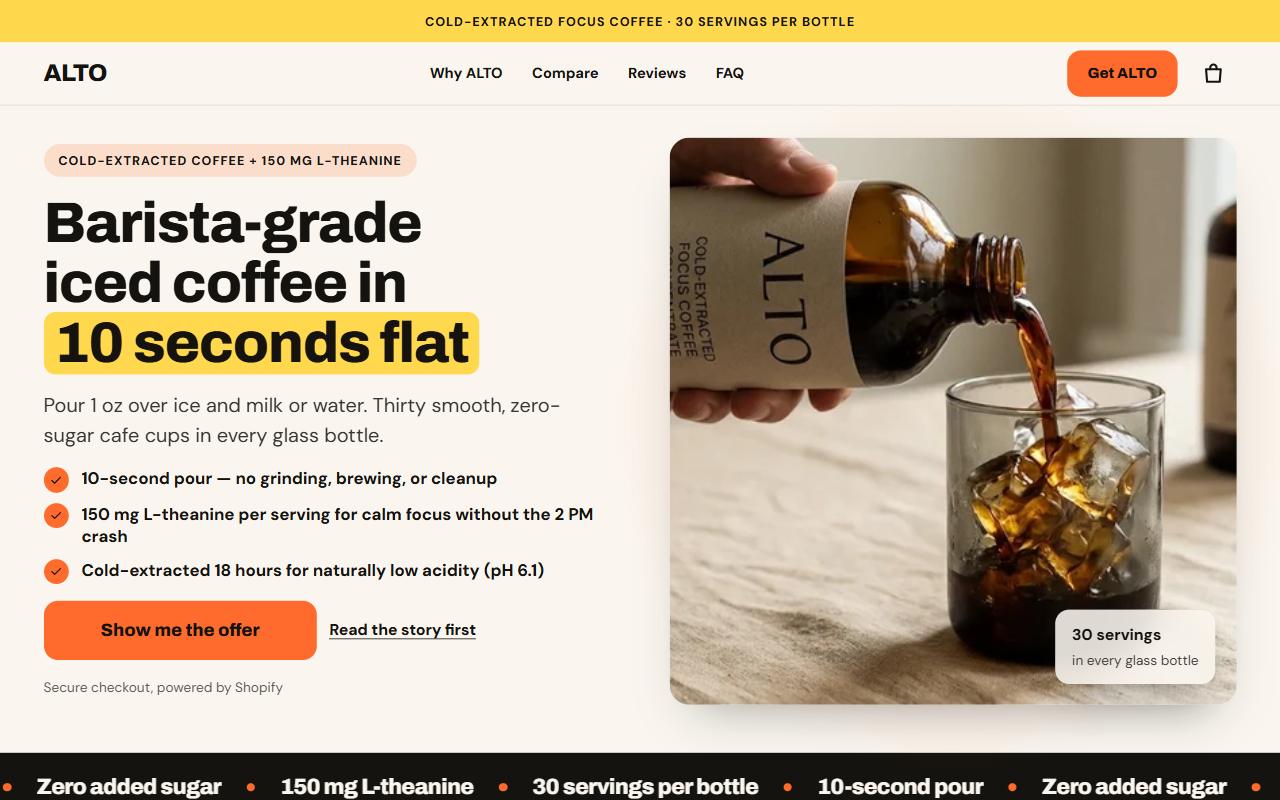
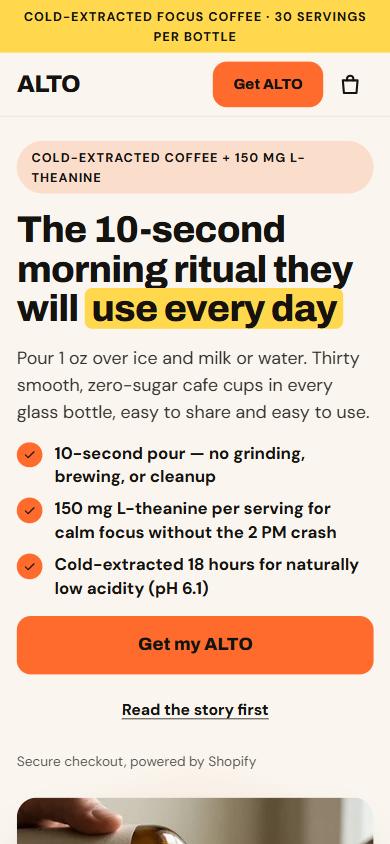
Desktop shows the default headline. The phone shows the same page opened from a gift ad, with ?hook=gift on the link. An ad angle can also change the hero image, the starting tier, the reviews filter and the cart's order bump.
Hook Engine and split testing, no app
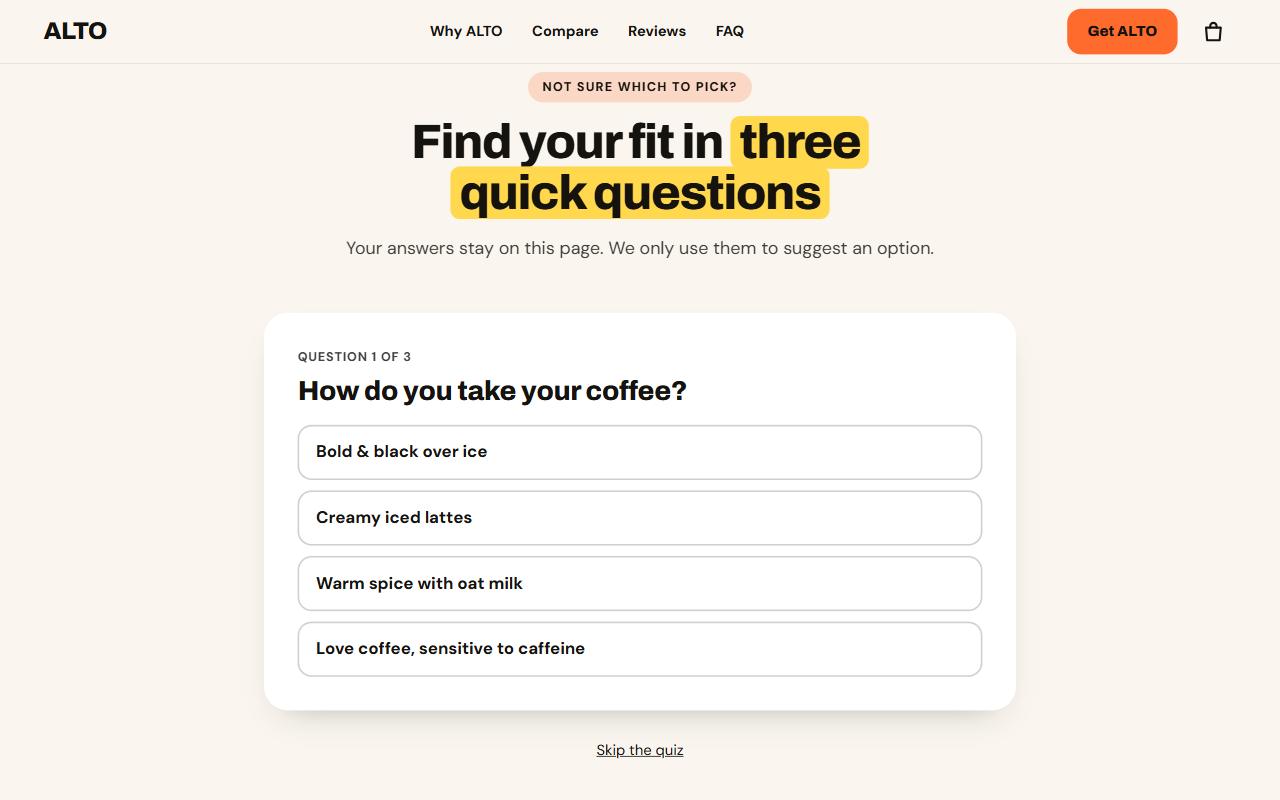
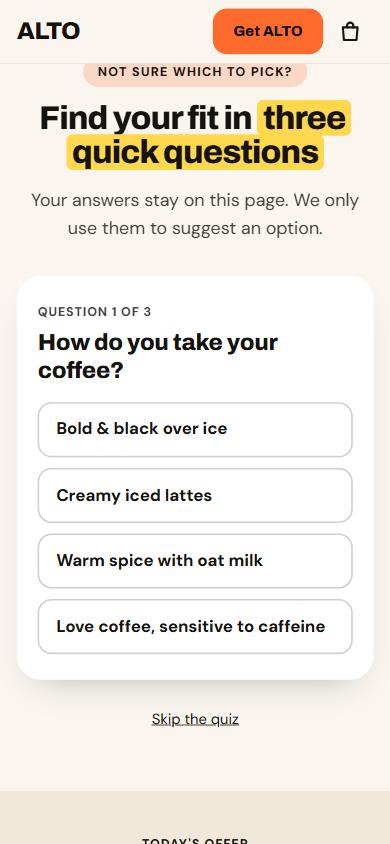
The answers recommend a quantity tier and a flavor, and the offer below selects them. The shopper can change the choice, and the answers never leave the page.
Micro-quiz section
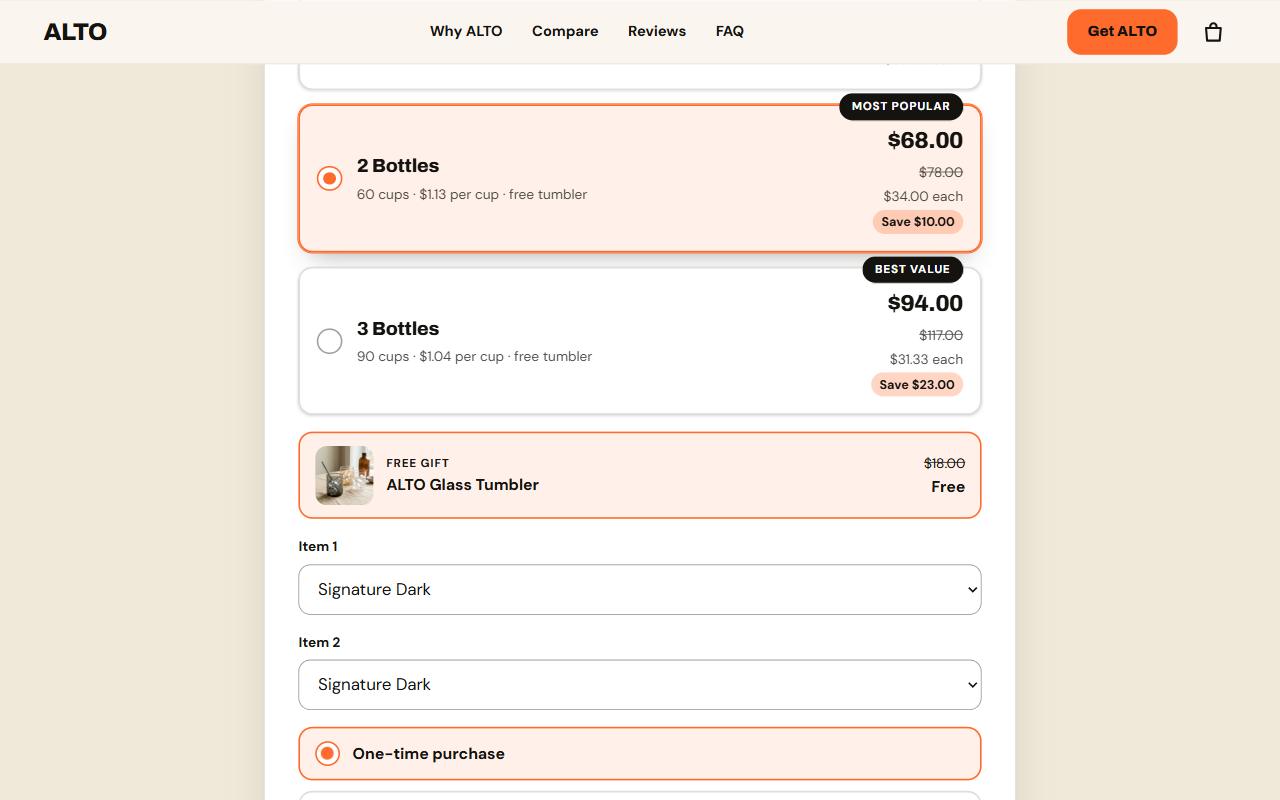
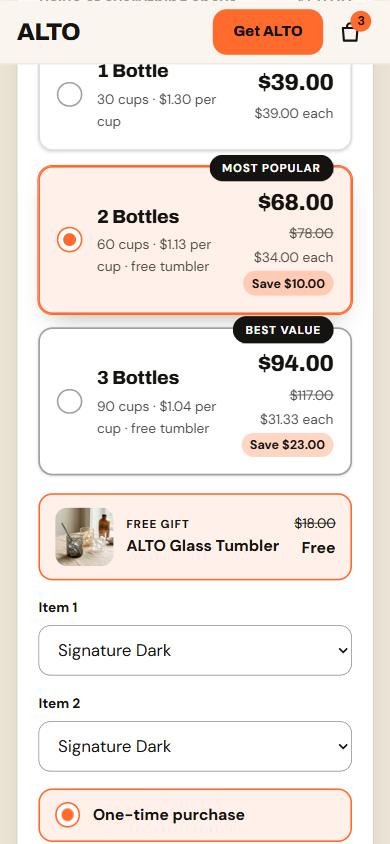
Savings are exact amounts ($10 and $23 off), the free tumbler unlocks at two bottles, each bottle gets its own flavor picker, and Subscribe & save reads the store's selling plan. A real Shopify discount sits behind every price shown.
Offer stack section
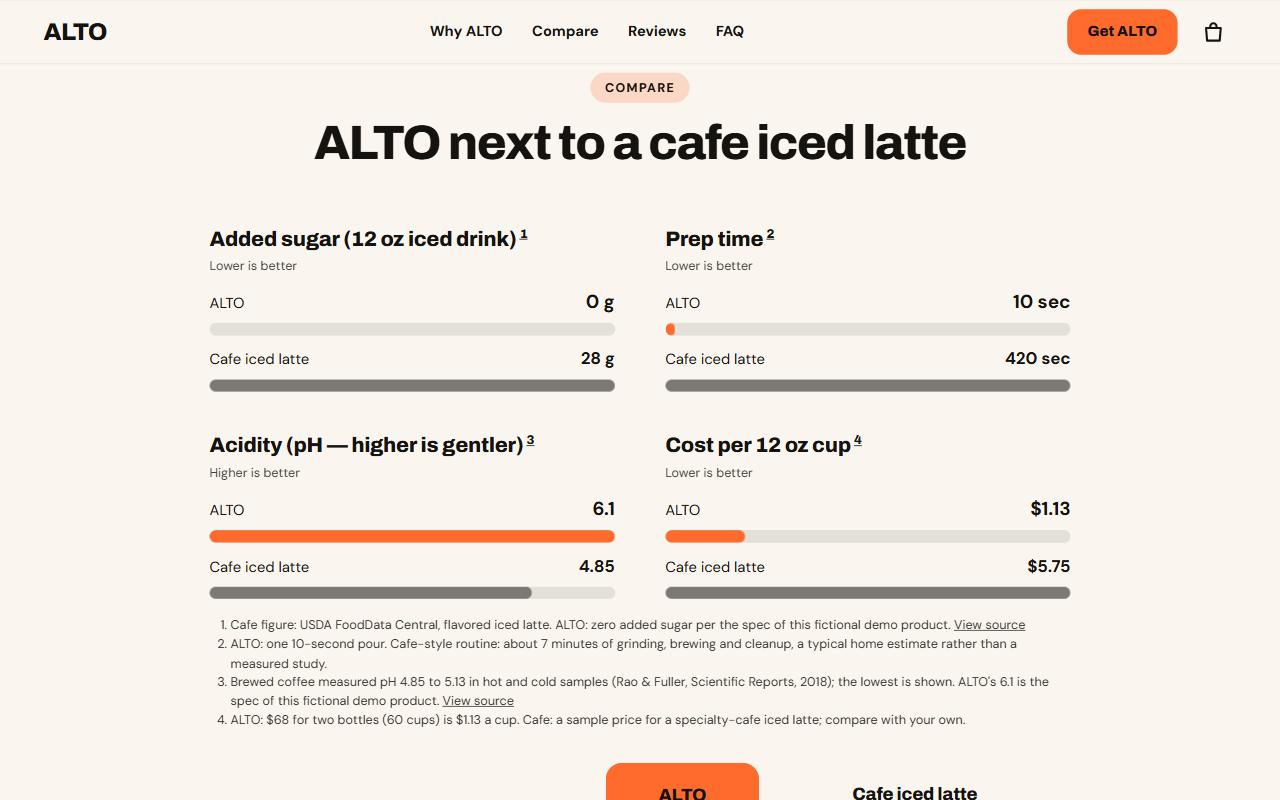
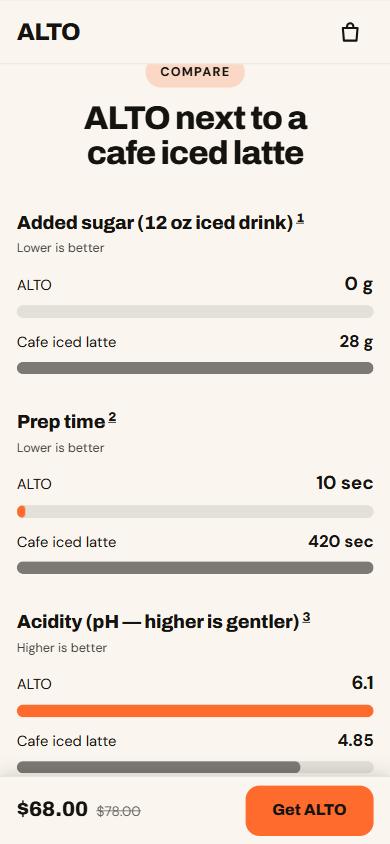
Measured rows are drawn to scale and each carries a numbered source. A savings calculator uses only the figures you type in. Any figure without a source is hidden from shoppers.
Comparison section
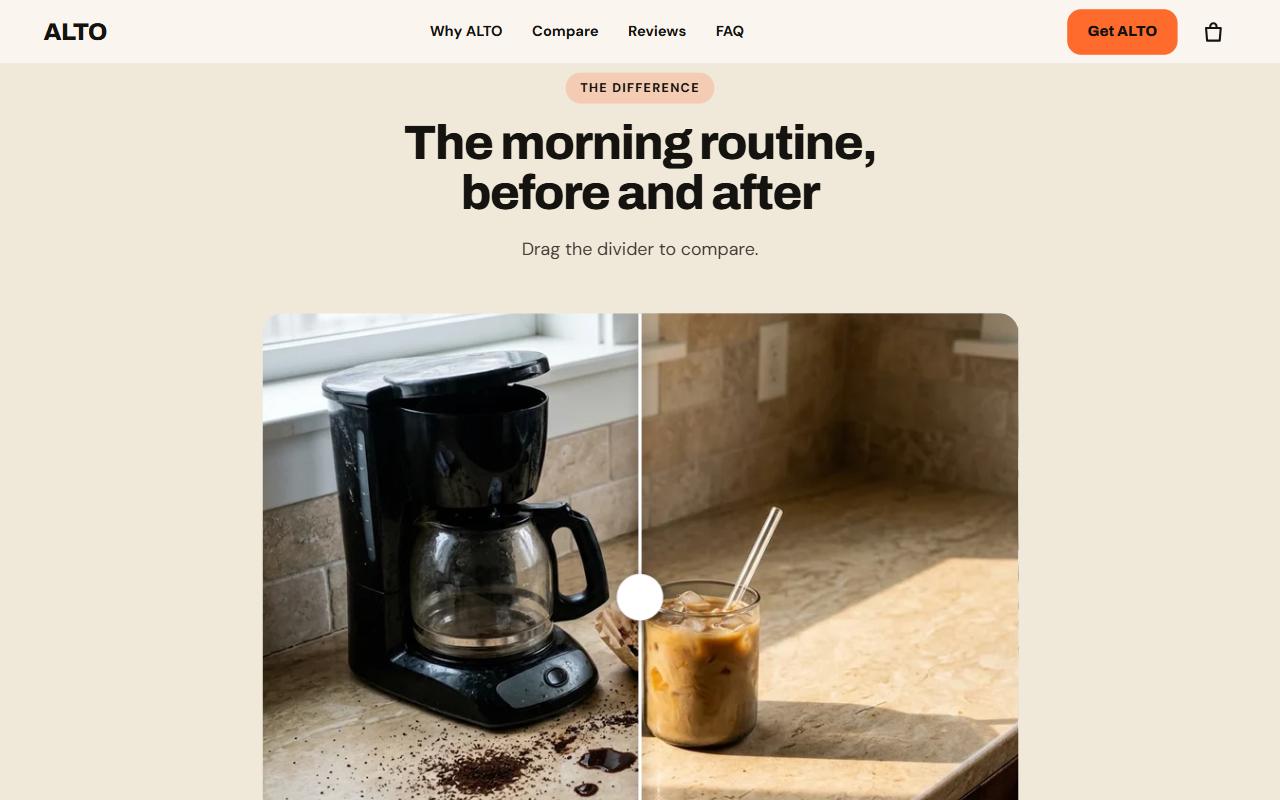
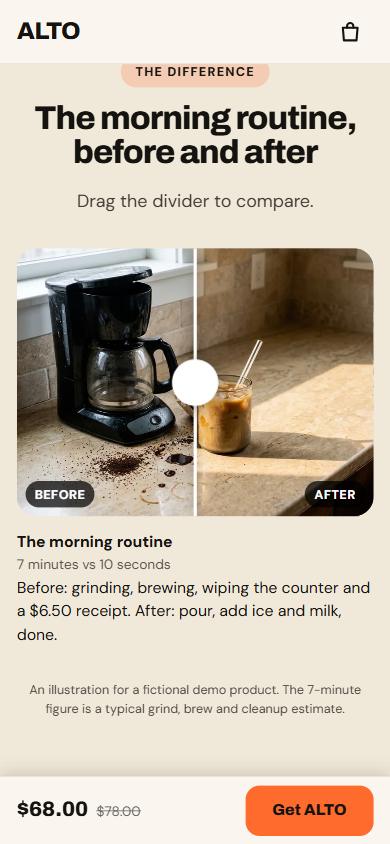
Keyboard and touch friendly, with a note that results vary. Choose portrait, landscape or square so your photos are never cropped.
Before and after section
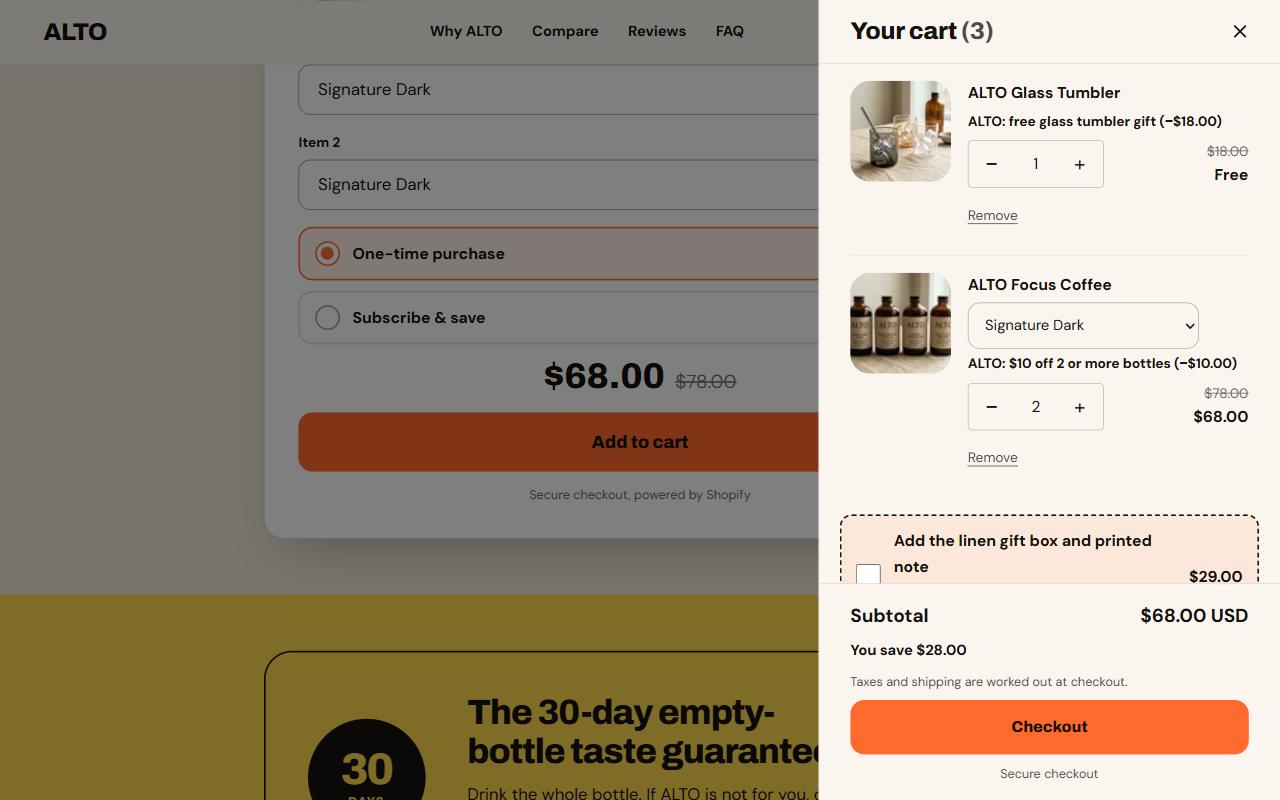
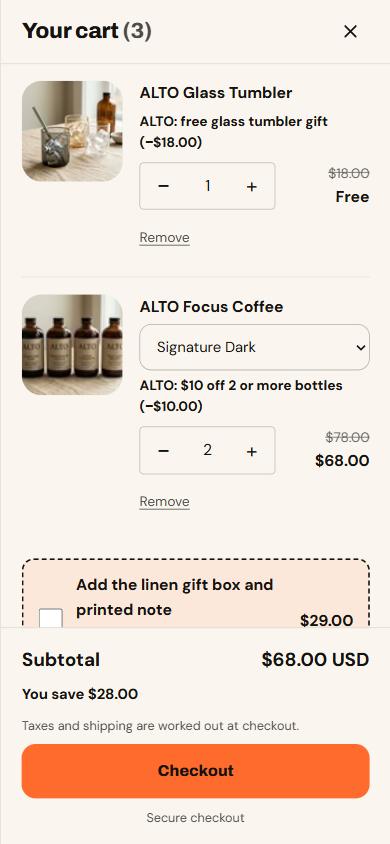
Two bottles and the gift tumbler come to $68.00, and the drawer says “You save $28.00”. The order bump sits under the items, and the cart opens without a page reload.
Slide-out cart with order bump
ALTO is a fictional brand. Its prices, ingredients and claims are invented for the demo. The store is password-protected while we build, so a public link opens at launch. More demo stores will follow.
Starting points
Each is a lighter page template you can reorder, trim or restyle in the Shopify theme editor. These are screenshots of the real theme running on a development store with sample copy.
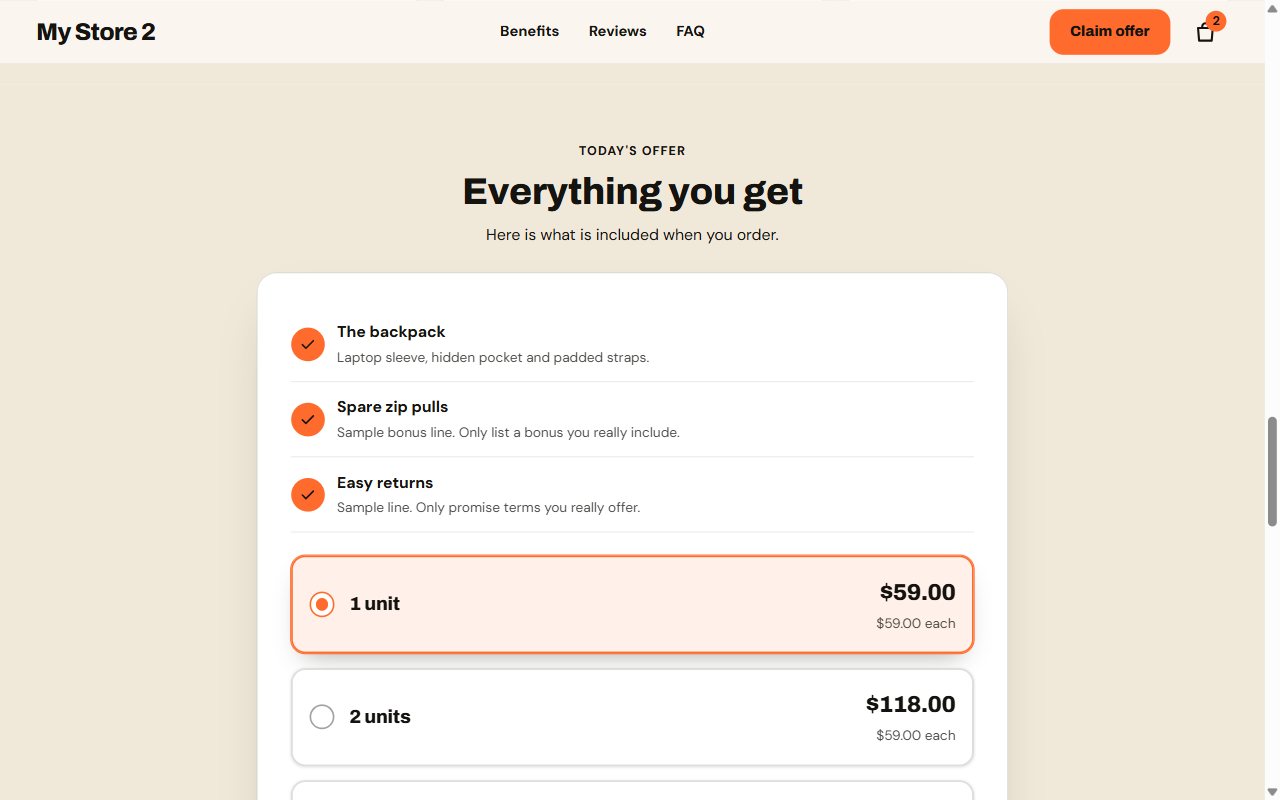
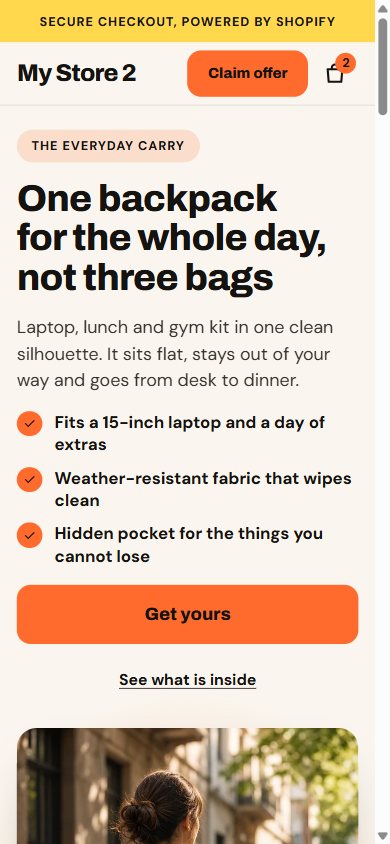
Hero, press bar, benefits, how-it-works steps, comparison table, reviews, an offer with quantity tiers, guarantee, FAQ and a closing call to action.
Pairs with the Midnight style
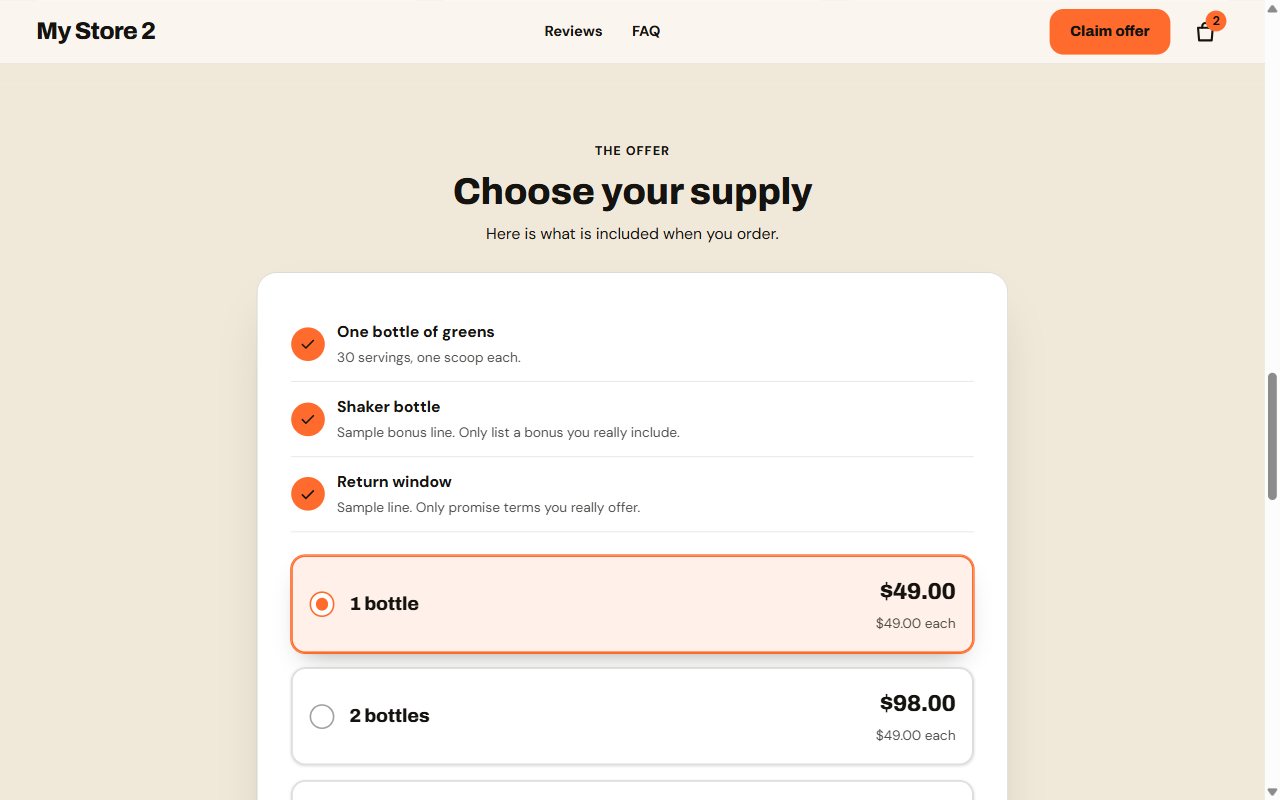
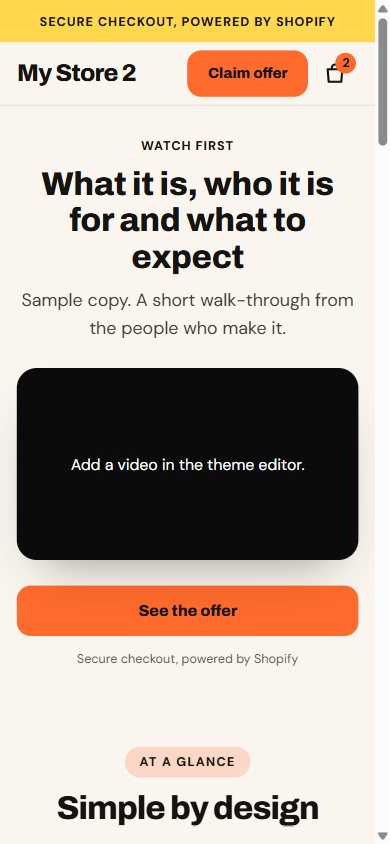
A video-first offer, stats, an ingredients section with room for cited studies and an editable disclaimer, reviews, bottle tiers, guarantee and FAQ.
Pairs with the Clinic style
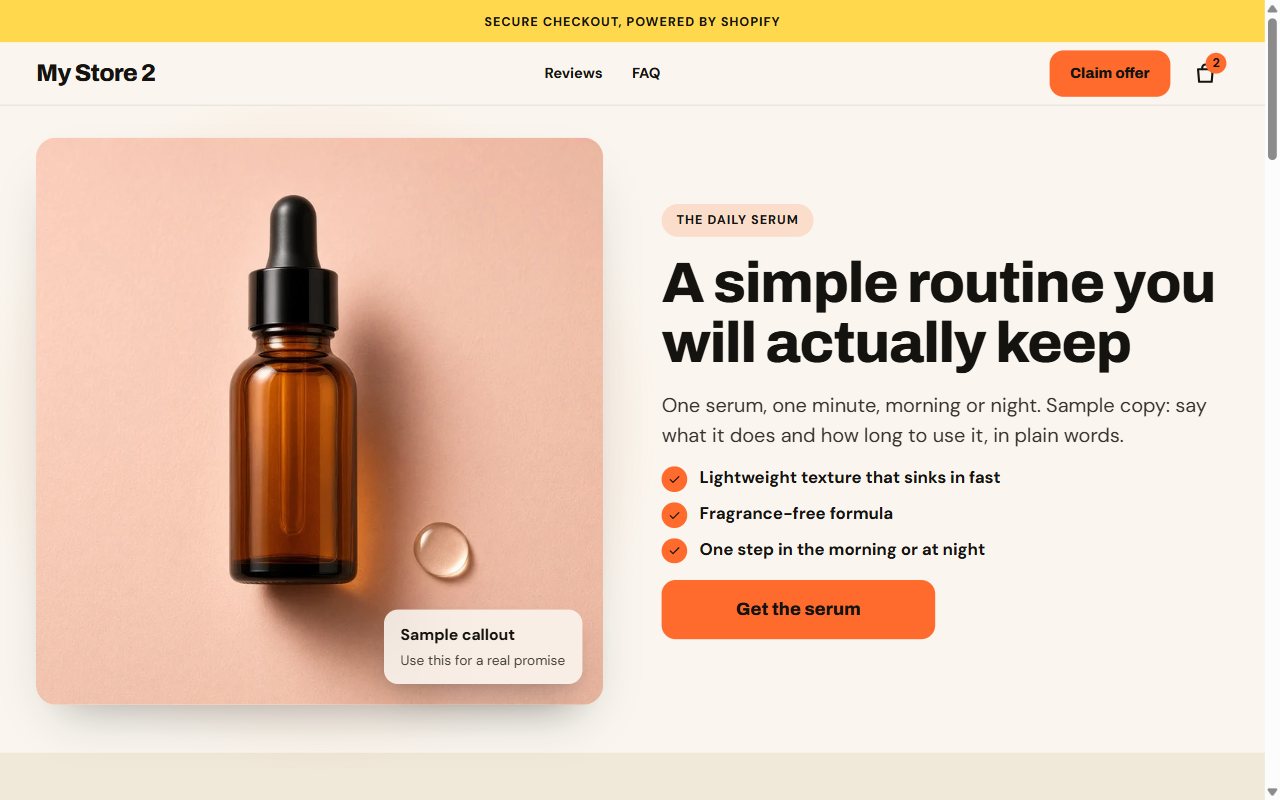
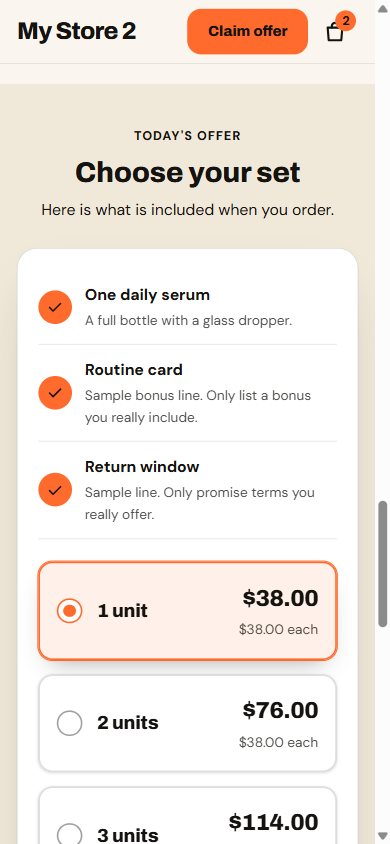
Draggable before-and-after photos with a built-in “results vary” note, customer videos, steps, ingredients, tiers and reviews.
Pairs with the Glow style
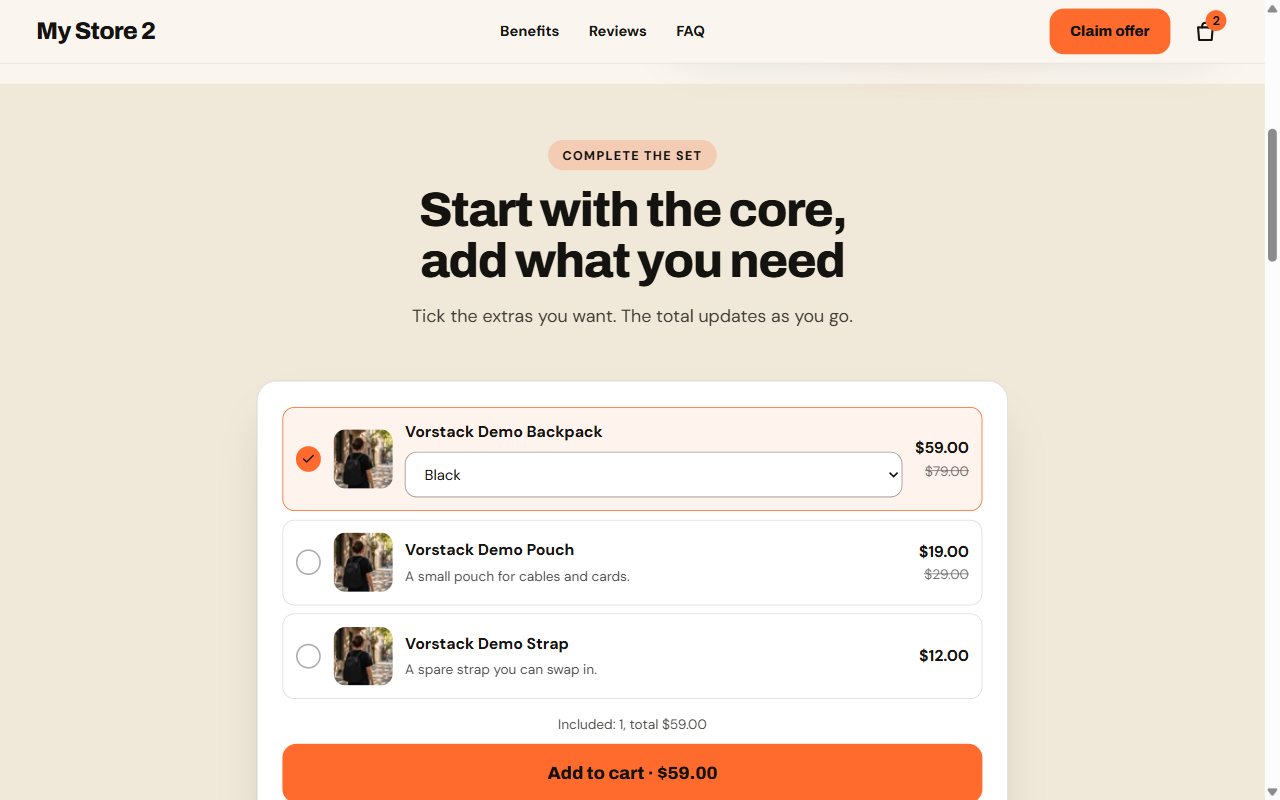
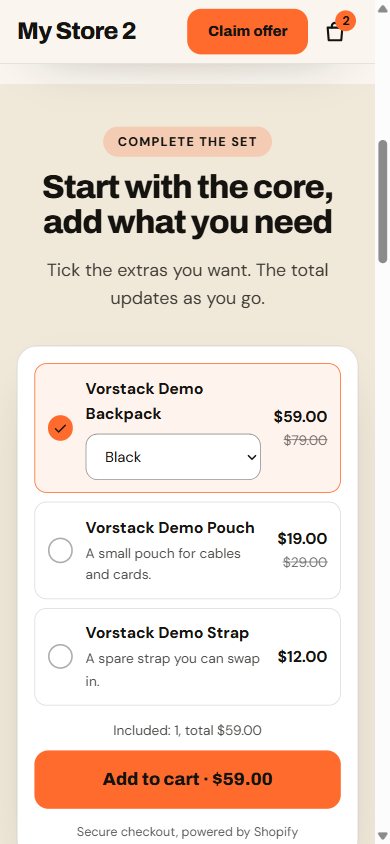
A core product with up to four optional add-ons, a live running total and one-request add to cart. Variants are read from your products, never hard-coded.
Pairs with the Studio style
A live demo store opens at launch. Screenshots show sample copy and a development store name.
What's inside
Name your ad angles, tag the ad links with ?hook=gift, and the headline changes before first paint. No flicker, no layout shift. Every order records which angle sold it.
A slide-out cart with order bump, upsell, free-gift progress, shipping estimate, a downsell and a post-add-to-cart upsell modal. Each step is optional.
Quantity tiers with live per-unit pricing and exact amount-off savings, a free gift that unlocks at a tier, a flavor picker for each item, and Subscribe & save from your own selling plans.
Test a headline or a starting tier on half your visitors with no flicker. Each order records which version it came from.
Two or three questions recommend a tier and a variant, and the offer selects it. Answers stay on the page.
Measured comparison rows drawn to scale, each with a numbered source, plus a savings calculator built from your own numbers.
A draggable photo comparison that works with the keyboard, with a built-in “results vary” note.
A check inside the theme editor that flags placeholder text, missing alt text, heavy images and tiers with no discount behind them. Shoppers never see it.
A stripped-down header and footer for landing pages, with a short jump menu and one clear call to action.
Shows the price chosen in the offer, appears when it should and hides when the offer or closing call to action is visible.
Off until you add a real Shopify discount code. Opens once per visit, on exit on desktop or after inactivity on phones.
Hero, press bar, stats, steps, comparison, reviews, FAQ with schema, guarantee and more. Switch between Vorstack, Midnight, Studio, Clinic and Glow in one click.
Honest by default
Fake timers and invented reviews get ad accounts flagged and shoppers to leave. Vorstack's conversion tools only show what you can stand behind.
Compared
| Feature | Vorstack | Typical multipurpose theme |
|---|---|---|
| Ready-made funnels | A complete demo funnel plus 4 niche starters | Sections you assemble yourself |
| Quantity tiers, free gift, subscribe & save | Built in | Often a paid app |
| Order bump and cart upsells | Built in | Often a paid app |
| Ad-angle headlines | Built in | Not usually offered |
| Split testing and a which-one-for-me quiz | Built in | Often a paid app |
| JavaScript libraries | None, native browser features only | Varies |
General comparison, not a claim about any single theme. Check the theme you use today.
How it works
Online Store → Themes → Add theme → Upload zip file.
Create a Page, choose a funnel template, then choose one of five style presets.
Choose the product, edit the copy in the theme editor, and set matching discounts in Shopify.
Questions
Both will be announced to the early-access list first. We would rather give you a real number and date than a placeholder.
No app is needed for the funnels, tiers, bump, upsells, free gift, quiz, split tests, sticky bar or exit offer. Star ratings read the standard review metafields, so bring your own review app or fill them in yourself. Subscribe & save reads the selling plans in your store, and a subscriptions app is still what bills the renewals.
Vorstack is a standard Online Store 2.0 theme you upload as a zip, which every Shopify plan with the Online Store channel supports.
No. It is sold directly, so you get the zip and the license from us.
Demo store 1, ALTO, is shown above in screenshots from the real theme in a real Shopify store. It is password-protected while we build, so a public link opens at launch, and more demo stores will follow.
Yes. Every layout, section, style and script was written for Vorstack. It follows Shopify's public Online Store 2.0 architecture and includes no other theme's code.
Early access
Join the list and you will hear about launch pricing, the demo stores and the setup guide before anyone else.
One email when the theme is ready. See the privacy note.